Product
Safe by default, tuned by you.
Lockout after a threshold you set, bot protection on the flows that need it, and known-breached passwords refused.
Start freeAttack protection
Last 24 hours
1,204
blocked
- blocked
Credential stuffing blocked
212 attempts · 1 IP range
- blocked
Breached password rejected
seen in a known breach
- blocked
Rate limit tripped
/sign-in · 41 in 60s
- flagged
Impossible travel flagged
Lagos → Toronto, 4m
How it works.
-
Set the threshold
Choose how many failed attempts before an account locks.
-
Turn on the challenge
Enable bot protection on sign-up and sign-in.
-
Leave the rest
Breached-password rejection and the audit log are on by default.
- Lockout you choose
- Pick the number of attempts. After it, the account locks and the person is told.
- Bots kept out
- A challenge on sign-up and sign-in that a real person clears and a script does not.
- No breached passwords
- A password found in a known breach is refused at the point it is set.
In your dashboard.
Every screen above is real. This is where you run it.
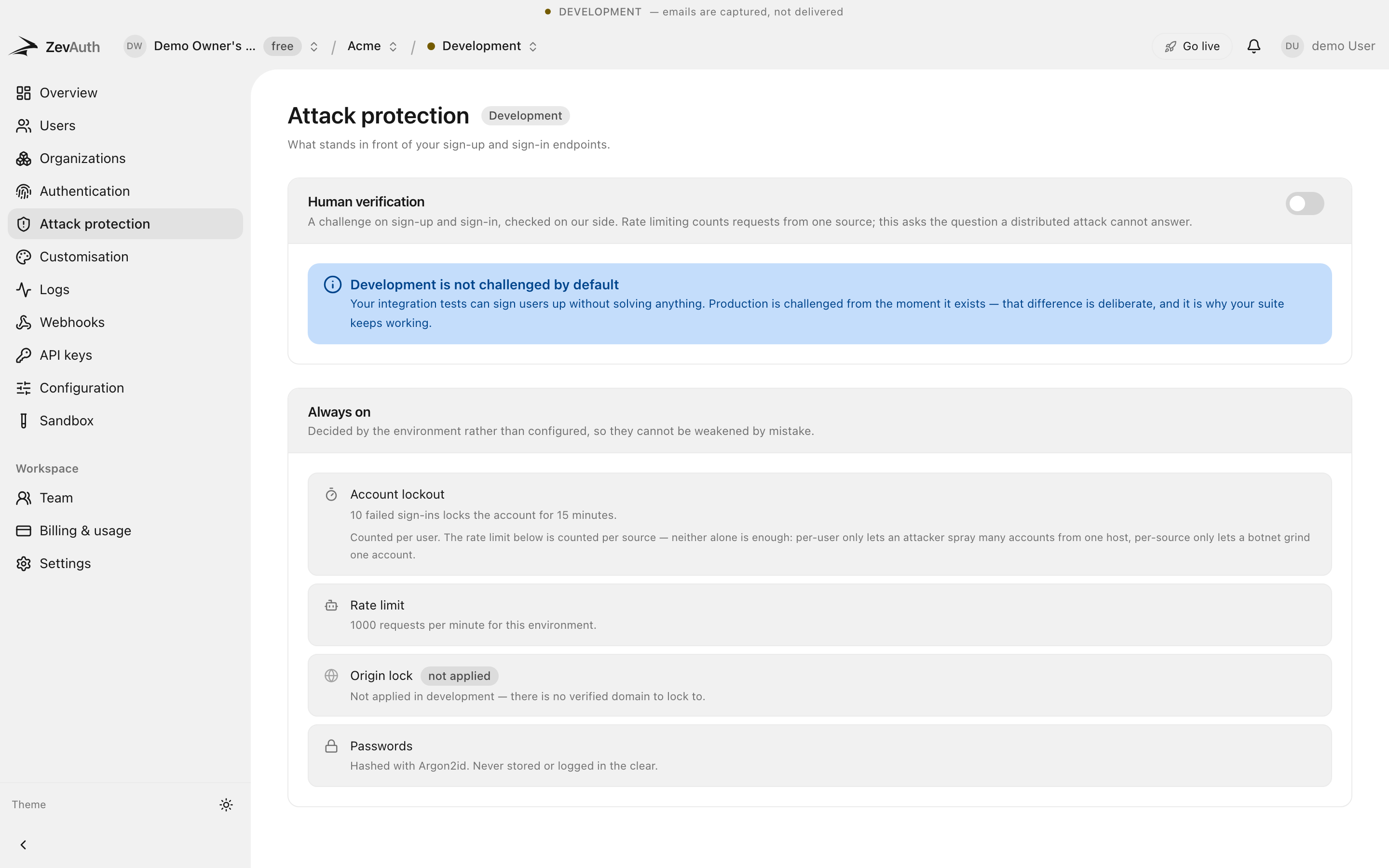
- You
- choose the lockout threshold
- 0
- known-breached passwords accepted
- 100%
- of failures and lockouts, logged
Frequently asked questions
What people ask about attack protection before they commit to it.
What happens when an account locks?
Sign-in is refused and the person is told, and a fresh verification is offered so a returning user is not stranded. You set the number of attempts that triggers it.
How are breached passwords checked?
A password found in a known public breach is refused at the moment it is set, before the account is created or the password changed.
Will bot protection annoy real users?
The challenge is invisible to most people and only escalates under suspicion. It sits on the flows that are actually attacked, not on every request.
Start with a project and a key.
Free to build and to ship. Test and production both cost nothing today. Generous limits, no card, and no surprise bill.